
Module Manager
Introduction
Module Manager creates and edits Modules: a module is a database table plus everything needed to manage it in the admin panel. You add fields in the browser, LaraAdmin creates and alters the table as you go, and one click generates the controller, model, views, routes, menu item and access rules. Every built-in feature (Employees, Roles, Uploads, Blog posts...) is a module too.
Using Module Manager
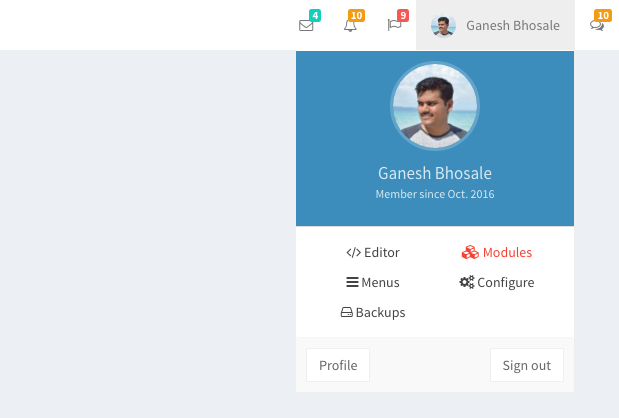
Module Manager is for the Super Admin only. Open it from Modules in the top navbar, or at /admin/la_modules.
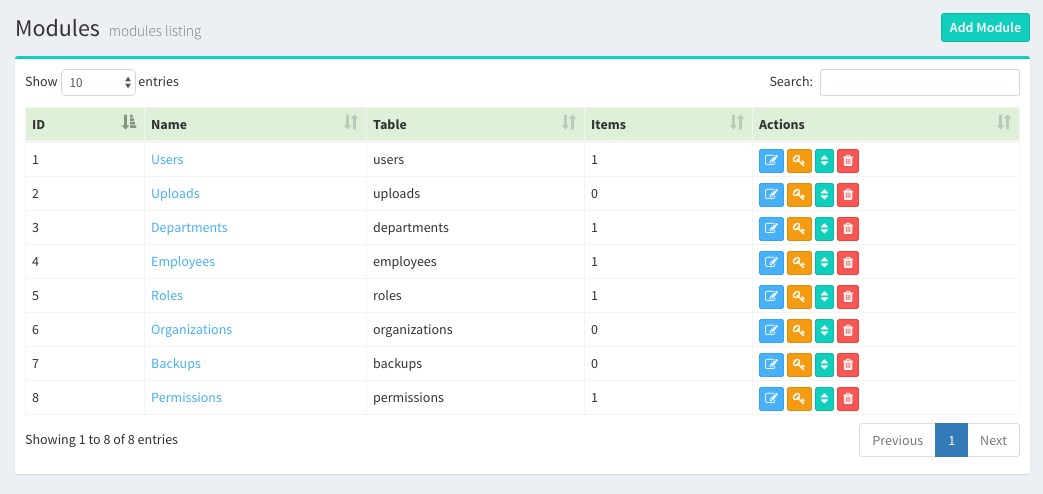
The list shows every module with these actions:
- Edit - open the module page to add and edit fields
- Access - module and field access per role (see Roles & Access Control)
- Sort - the order of fields in forms
- Delete - deletes the table, its data and the generated code
Create a Module
A module needs a Name and an Icon (a Font Awesome 4 class such as fa-book). Use a plural noun, one or more words: Courses, System Handlers, User Orders. LaraAdmin derives the other names from it with Laravel's Str::plural() / Str::singular():
| Module name | Table | Model | Controller | URL |
|---|---|---|---|---|
| Courses | courses | App\Models\Course | CoursesController | /admin/courses |
| User Orders | user_orders | App\Models\UserOrder | UserOrdersController | /admin/user_orders |
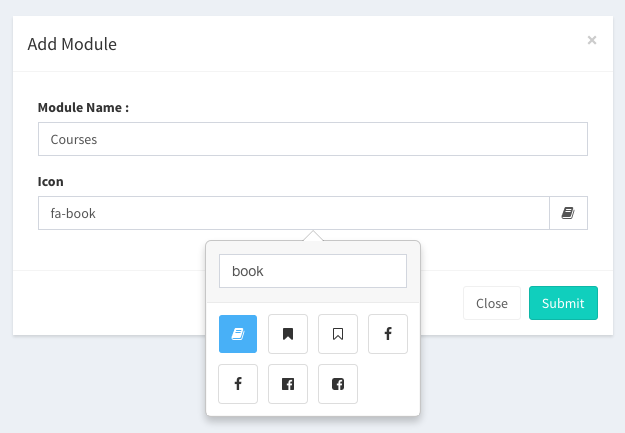
Creating a module adds a row to la_modules and writes a migration file database/migrations/..._create_courses_table.php. The table itself is created when you add the first field.
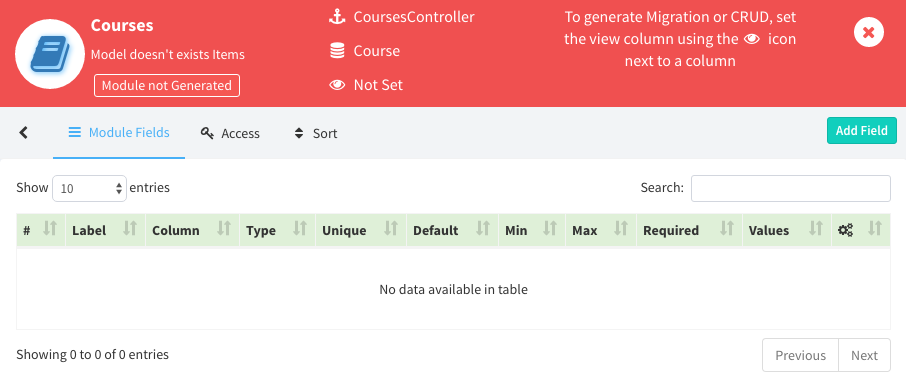
The icon marks the view column: the field shown as the link to a record in listings, dropdowns and search, usually Name or Title. You can't generate the CRUD without one. A red module header means the CRUD isn't generated yet.
Add Module Fields
Add the fields next. Start with the field you will use as the view column, such as Name or Title. Each field you add is created in the table straight away.
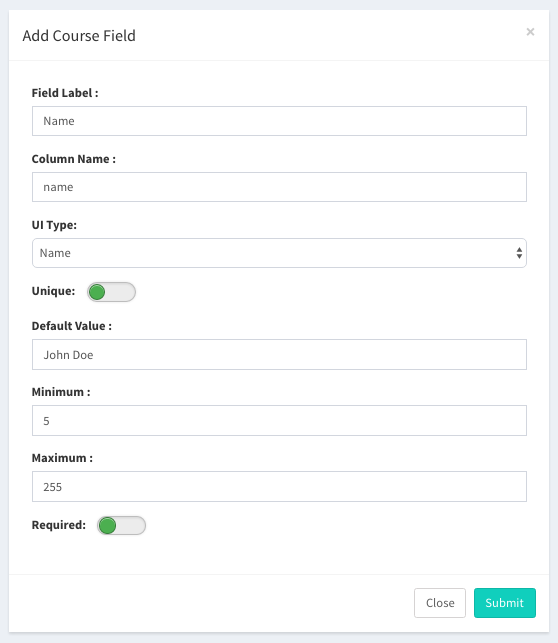
| Field Label | Label shown in forms and listings, e.g. Name, Cost, Is Public |
| Column Name | Database column name: lowercase, words joined by underscores (_) |
| Field Type | The kind of data, which decides the form input and the column type. See Field Types. |
| Unique | Values must be unique. Checked when adding a record. A unique text column is limited to 250 characters. |
| Default Value | Default for new records and the column default. |
| Minimum / Maximum | Length limits for text, value limits for numbers, or the number of items for Taginput, List and Checklist. 0 means no limit. For text types, Maximum also sets the column length. |
| Required | The field must be filled in the Add / Edit forms. |
| Show in Index Listing | Show the field as a column of the module's listing table. |
| Values |
For Dropdown, Multiselect, Radio and Taginput: either a list you type, or the rows of another module's table.
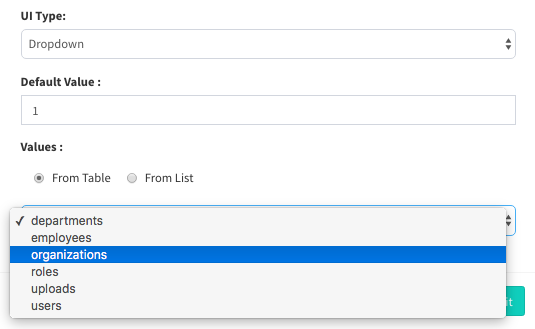
Values from a table: the column stores the record's id, with a foreign key. The default value is an id. 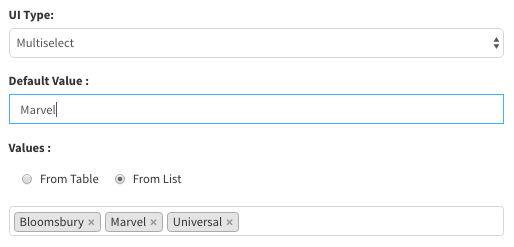
Values from a list: the default value is empty or one of the values. |
Field Types
LaraAdmin 1.13 has 31 field types:
| Text | Name, String, TextField, Textarea, HTML, Email, Mobile, URL, Address, Password |
|---|---|
| Numbers | Integer, Float, Decimal, Currency, Duration |
| Date & time | Date, Datetime, Time |
| Choices | Checkbox, Dropdown, Radio, Multiselect, Taginput |
| Files | Image, File, Files |
| Structured | List, Checklist, JSON, Location, Color |
The field type reference lists the form input, database column and options of each type, with a migration example for each.
Generate CRUDs
When the fields are ready and a view column is set ( next to the field), click Generate Migration + CRUD. The module header turns green, and the module opens at /admin/courses.
Generated files:
- Controller -
app/Http/Controllers/LA/CoursesController.php(index, store, show, edit, update, destroy and thedtajaxlisting data, all with access checks) - Model -
app/Models/Course.php, with soft deletes - Observer -
app/Observers/CourseObserver.php, registered inapp/Providers/LAProvider.php - Views -
resources/views/la/courses/index.blade.php,edit.blade.php,show.blade.php - Language file -
resources/lang/en/la_course.php - Routes - a resource route and the
/admin/course_dt_ajaxroute, appended toroutes/admin.php - Log types -
COURSE_CREATED,_UPDATED,_DELETEDinconfig/laraadmin.php, for LA Logs - Migration - the module's migration is rewritten from the current fields
- Menu item in the sidebar, and full access to the module for the Super Admin role
Edit Module Fields
Fields can be edited at any time with Edit Field. LaraAdmin changes the column in place (with Laravel's native ->change()), so no migration needs to run. Changing a field linked to another table (Dropdown, Multiselect, Radio, Taginput) drops and recreates its foreign key.
NOT NULL, the same as creating an Integer field.
Generated views read the fields from the database (@la_form, @la_display), so new and edited fields appear in the forms without regenerating anything.
Module page buttons
| Button | What it does |
|---|---|
| Generate Migration + CRUD | Writes the migration from the current fields and generates all the files listed above. Shown until the CRUD is generated. |
| Update Migration | Rewrites only the module's migration file from the current fields, so a fresh install (php artisan migrate) creates the same table. Use it after editing fields. |
| Update Module | Rewrites the migration and regenerates the controller, model, observer, views and language file from the stubs. This overwrites your changes to those files. |
| Access | Module and field access per role. |
| Sort | Drag fields into the order the forms should use. |
Delete a Module
Deleting a module drops its table with all its data, deletes its fields, access rules, menu item, controller, model, observer, views and language file, and removes its lines from routes/admin.php and LAProvider. Its migration file is replaced by one that drops the table, so other installs drop it too. Its LA Logs entries are kept.
LaraAdmin first checks that it can write all these files and tells you which permissions to fix. Its log types stay in config/laraadmin.php (a known issue): remove them by hand.
Things to know
- Module definitions are rows in
la_modulesandla_module_fields. Module Manager, the migrations and the generated code all read them. See Architecture. - Module Manager writes files into your application (
app/,routes/,config/,resources/,database/migrations/). Use it on your development copy and commit the result, not on production. - You can create the same module from a migration file and
php artisan la:crudinstead: see Migrations & CRUDs.