
Configurations
Introduction
LaraAdmin has two kinds of settings: the developer settings in config/laraadmin.php, and the settings the Super Admin changes in the browser on the Configure page, stored in the la_configs table.
Configuration File
config/laraadmin.php is an ordinary Laravel configuration file:
'adminRoute' => 'admin',   // URL prefix of the admin panel: /admin
'blogRoute' => 'blog',     // URL prefix of the public blog: /blog
'ajaxload' => 'data-pjax', // load admin pages with Pjax; '' to disable

'uploads' => [
    'private_uploads' => false,
    'default_public' => false,
    'allow_filename_change' => true
],

'log' => [
    'Users' => [
        'USER_CREATED' => ['name' => 'User Created', 'is_notif' => 'false', 'code' => 'USER_CREATED', 'module' => 'Users'],
        ...
    ],
    ...
    // More LALogs Configurations - Do not edit this line
],| Key | Description |
|---|---|
adminRoute | The admin panel's URL prefix. Read it with config('laraadmin.adminRoute'); all admin links and routes use it. |
blogRoute | The public blog's URL prefix (see Blog). |
ajaxload | The attribute that admin links get from the @ajaxload Blade directive. With data-pjax, pages load without a full reload. |
uploads | See Uploads Manager. |
log | The activity log types, per module. See LA Logs. The CRUD generator appends new modules above the // More LALogs Configurations - Do not edit this line marker: keep that line exactly as it is. |
For example, a link to the admin panel:
<a href="{{ url(config('laraadmin.adminRoute')) }}">Admin Panel</a>Configure page
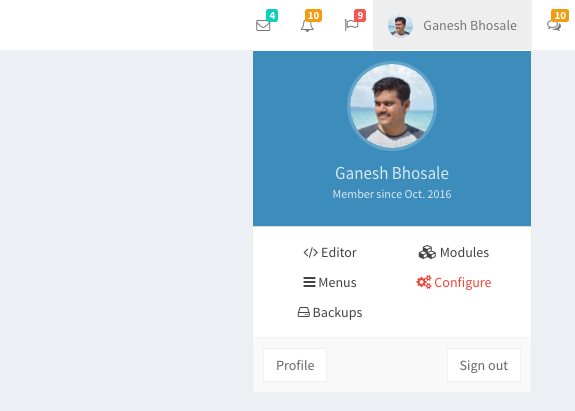
The Super Admin opens it from Configure in the navbar, or at /admin/la_configs. Settings are grouped in sections and use the same field types as modules.
Existing settings
| Setting (key) | Description |
|---|---|
Sitename sitename | Full site name, used in page titles and emails |
Sitename First Word sitename_part1 | First part of the navbar logo text, e.g. Lara |
Sitename Second Word sitename_part2 | Second part of the navbar logo text, e.g. Admin |
Sitename Short sitename_short | 2–3 characters for the collapsed sidebar |
Site Description site_description | Meta description (160 characters) and home page text |
Navbar Search Box topbar_search | Show the search box. Search needs Laravel Scout on the models (see known issues). |
Show Navbar Messages show_messages |  Messages menu in the navbar Messages menu in the navbar |
Show Navbar Notifications show_notifications |  Notifications menu Notifications menu |
Show Navbar Tasks show_tasks |  Tasks menu Tasks menu |
Show Right SideBar show_rightsidebar |  Right sidebar Right sidebar |
Skin / Theme Color skin | Purple (default) Blue Black Yellow Red Green, each also in a light version |
Layout layout |
|
default_email default_email | Sender address of the login details sent to new employees and customers |
Using settings
use App\Models\LAConfig;

$sitename = LAConfig::getByKey('sitename');   // false if the key doesn't exist
$configs = LAConfig::getAll();                // object with every setting
$configs->skin;
In views the class is also available as the LAConfig facade alias, e.g. LAConfig::getByKey('sitename').
Adding settings
Click Add Configuration on the Configure page, and give the setting a label, a key, a section and a field type (with values for Dropdown and similar types). It then appears in its section and can be read with LAConfig::getByKey(). Edit or delete it from the same page.
To render a setting's input in your own view, use @la_config_input('your_key'). The page itself is resources/views/la/la_configs/index.blade.php and app/Http/Controllers/LA/LAConfigController.php, which you can change.
A setting added in the browser exists only in that database. To have it on every install, add it to database/seeders/LaraAdminSeeder.php as well.
.env
Besides Laravel's usual settings, LaraAdmin needs:
MAIL_FROM_ADDRESS: required, the backup package doesn't boot without it.MAIL_MAILER,MAIL_HOST,MAIL_USERNAME... to email login details to new users. WithoutMAIL_USERNAME, LaraAdmin writes the passwords of new users to the log instead.LOG_DEPRECATIONS_CHANNEL=single(optional) logs PHP deprecations, useful after an upgrade.